# Copy Pipeline
A new pipeline can be created by copying an existing pipeline from other projects or a pre-configured pipeline from Pipeline Library.
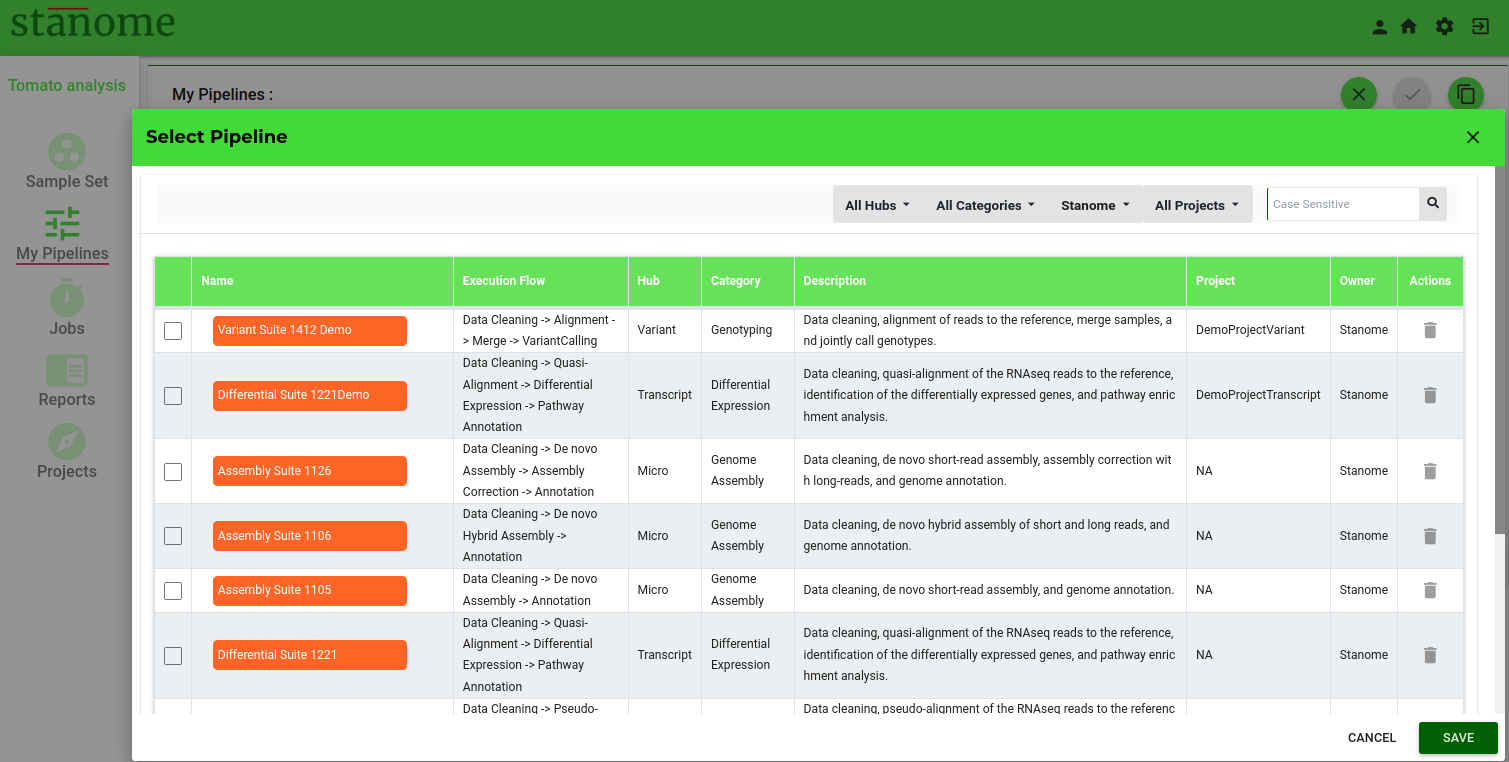
Click in the upper right corner of the pipeline creation window to see the existing pipelines via the Select pipeline dialog box (Fig.). Using the project setup information, a list of prefiltered pipelines is listed. Users can use multiple field combinations to filter the pipelines. Pipelines from the  can be viewed by selecting the owner as “Stanome”. Select a pipeline and click on  to copy a pipeline into the current project. The pipeline steps, tools, parameters, and other details are auto-populated (except the pipeline name). Name the new pipeline uniquely (duplicate names are not allowed) and verify the tools and commands before saving the pipeline.
HINT: Pipeline name should be less than 50 characters long and only alphanumeric characters and spaces are allowed.